
Documentation Secure & effortless
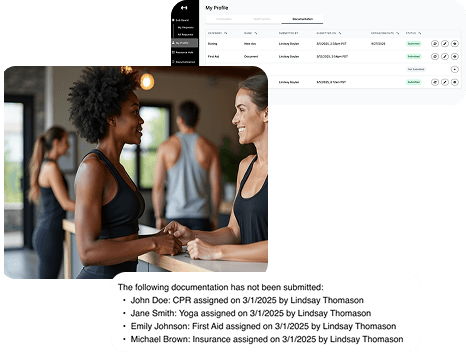
Tired of chasing and manually organizing staff credentials during hiring, onboarding, and ongoing employment? Collect, track, and store critical documents—like CPR certifications, insurance, and training qualifications—right inside NetGym. Reduce your workload and gain peace of mind knowing all essential employment documentation has been collected and renewal reminders are in place.
Key benefits
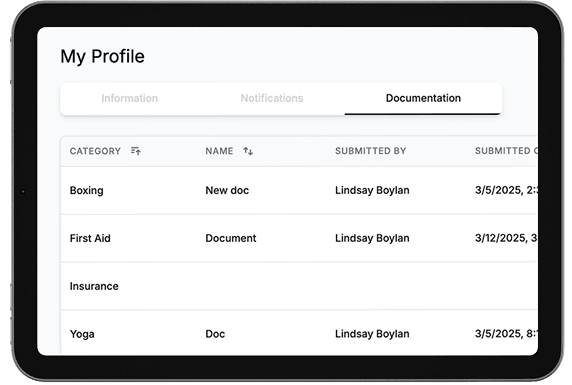
Compliance made easy
Keep all your staff’s qualifications, certificates, insurance, and onboarding paperwork in one digitized place—sorted, searchable, and secure.
Automated assignment
Assign required documentation individually or in bulk, send automated reminders to staff so you never have out-of-date or missing paperwork.
Set it and don’t forget it
Staff upload their certifications and documents and set expiry dates—so nothing slips through the cracks and no credentials go out of date.
How documentation works
- 1
Create custom categories for CPR, qualifications, insurance
Set up categories, then mark as required or optional, add expiration dates, and apply rules to new users.
- 2
Assign and track in bulk
Send documentation requests to individuals or groups in seconds. Your staff are notified to upload what’s needed, and you’ll always know who’s done what.
- 3
Monitor document status in real time
Track everything with clear labels: Assigned, Submitted, Not Submitted, Expired, Expiring Soon.
- 4
Upload existing documents or collect new ones
Already have a signed form or copy on file? Upload it directly to their profile. Or ask staff to upload directly.
- 5
Maintain historical staff profiles
Every instructor’s documentation history is stored and accessible—making it easy to review credentials, spot gaps, and stay compliant year-round.
One place for staff docs
Reduced tools
One platform for important qualifications and certifications. Say goodbye to shared drives, hard drives, spreadsheets, inbox searches, and endless folder digging.
Custom categories
Create documentation categories for each type of documentation based on your needs.
Secure
Store all your important employee documents in one secure location that you control and can share with relevant staff members.
Employee friendly
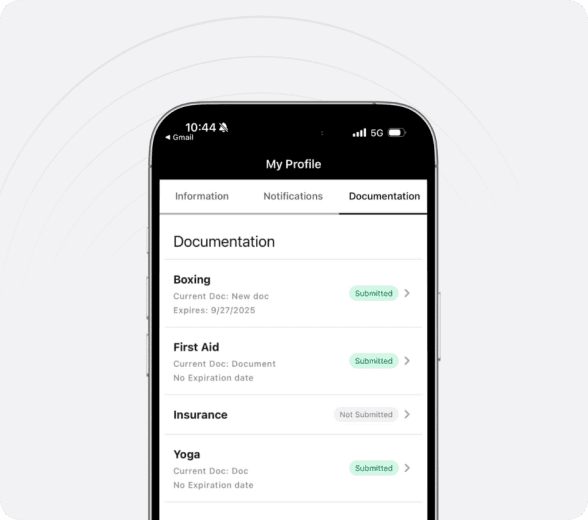
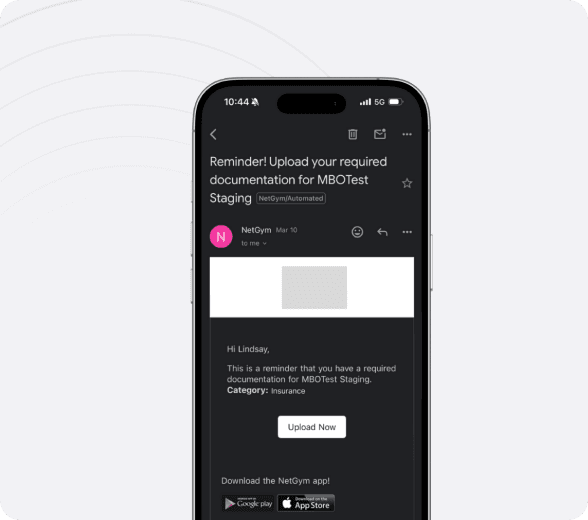
Staff and instructors can upload documents from their profile in the app or directly through an email prompt.
Custom permissions
Efficient for your staff
Setup documentation requirements for specific groups and configure categories of documentation to automatically be required when new staff join your business.
Management and admin permissions
Set access permissions for managers or regional leads to see your staff’s documents.
Create custom requirements
Want to collect extra teacher training qualifications but not make it mandatory? Simply mark documents as required or optional.
Intelligent tracking & automated reminders
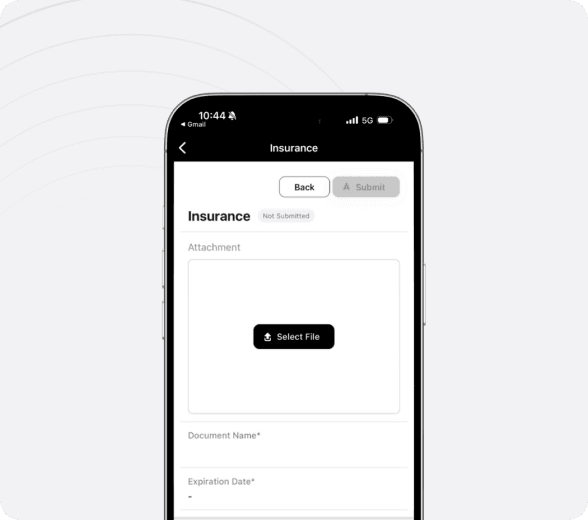
Expiration dates
Instructors set expiration dates and renewal dates, so they don’t forget future renewals.
Track document status
See at a glance with clear labels the status of documents submitted, missing, expired, expiring soon and more.
Auto-remind staff
Remind your team before deadlines hit with messages and notifications from 90 days to 1 day—so they upload new documents before old ones expire.
Automated management messages
Managers receive a weekly summary of upcoming expirations, missing submissions, and overall documentation status.
No manual tracking. Just peace of mind.
Documentation shouldn’t live in your inbox or an unruly spreadsheet! With NetGym, you reduce the number of tools you rely on, lighten your mental load, and ensure your team’s documents are always where they need to be.
More ways NetGym helps your team
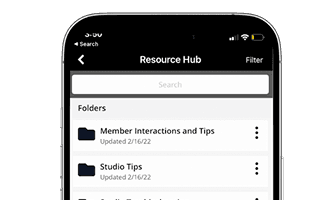
Resources hub
Store and share training videos, policies, SOPs, onboarding guides, and more
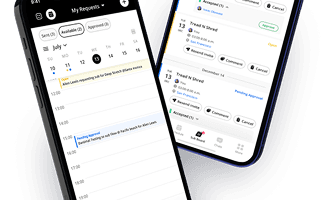
NetGym app
Manage subs, messages, schedules, and resources: one powerful app, fewer headaches
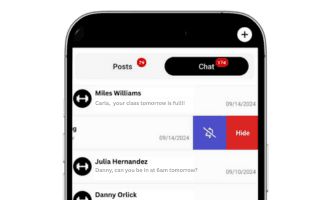
Communications
All your team communication, organized in one powerful platform
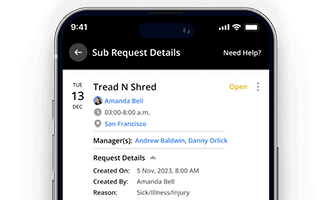
Automated subbing
Automate your subbing process and keep your schedule running smoothly
NetGym reduces your tools and improves staff engagement
Empower your instructors and staff with a transparent and easy-to-use system. Boost morale and encourage collaboration within your team.
Download the 6 step guide to gain back 40+ hours per month
Most studio and Group X managers spend 25% of their time on subbing and communication. This 6 step process has proven to gain back 40+ hours per month through process automation and streamlined communication.
This site is protected by reCAPTCHA and the Google Privacy Policy and Terms of Service apply.