
The NetGym app Makes life easier
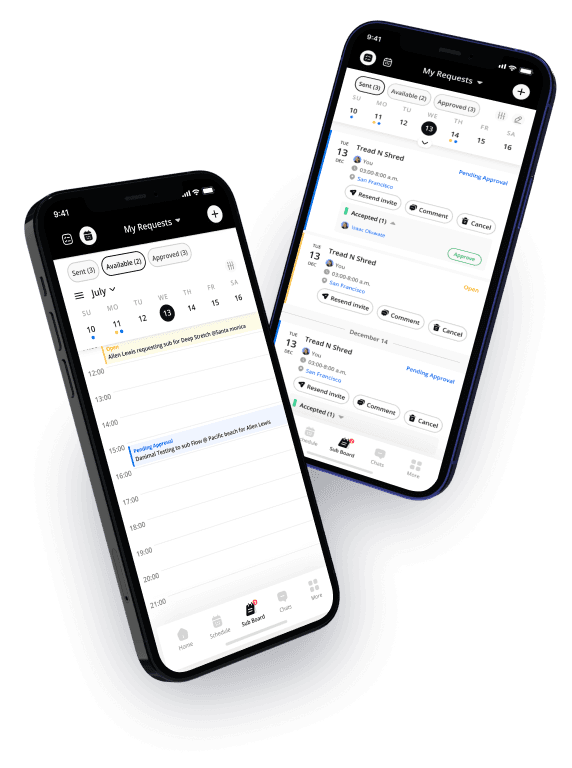
NetGym puts everything in one easy, good looking app—so handling instructors and their schedules feels less like work and more like…done. Send sub requests, post class openings, manage chats, check your instructors’ schedules, and stay connected—all from your phone.
Key benefits
Everything in one app
Messages, documents, resources, schedules, sub requests—it’s all in one place. No bouncing between software.
Right person, right time
Right from the app, send important messages and schedule updates based on staff profiles, locations, and more.
Subbing simplified
Send a sub request. Track responses. See who’s reviewed, what’s approved or still open. No more guessing. No more chaos.
One app for subbing, communications & resources.
- 1
Download and login
Your team downloads the app, logs in and starts using the app, it’s that easy.
- 2
Start using sub requests
Send sub requests, invite the right instructors, lock in your subs fast.
- 3
Send and receive messages
DMs, group messages, and company announcements–all sent in seconds.
- 4
Track it all
See ‘message read’ receipts, sub responses, and engagement at a glance.
Subbing with the hard work sub-tracted.
Start a request in one tap
Between classes or on the go, subbing is simple. The NetGym app makes it fast and frustration-free for managers and instructors to start a sub request right from their phone. Select the class, tap to create a sub request, and you’re off.
Share context, without oversharing
Instructors add a private note for their manager with the reason for the sub request. Clear communication, built right in.
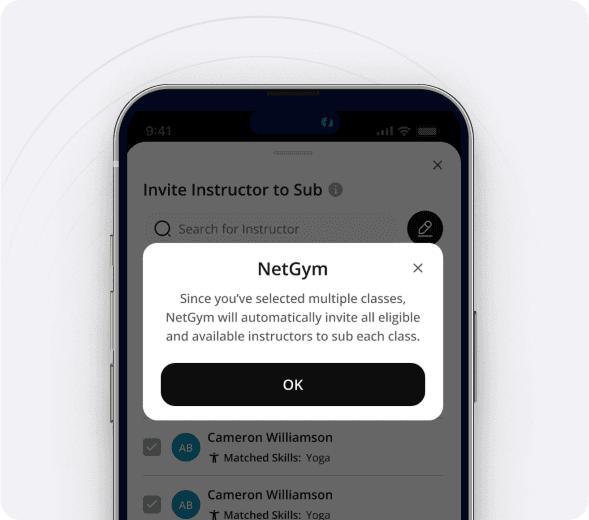
Invite the right people
Instructors add a private note for their manager with the reason for the request. Clear communication, built right in.
Multi-studio flexibility
Instructors who work across studios can sub across them, too. No extra setup. No separate logins. Just one easy system.
One sub board. See it all.
Three simple subbing statuses
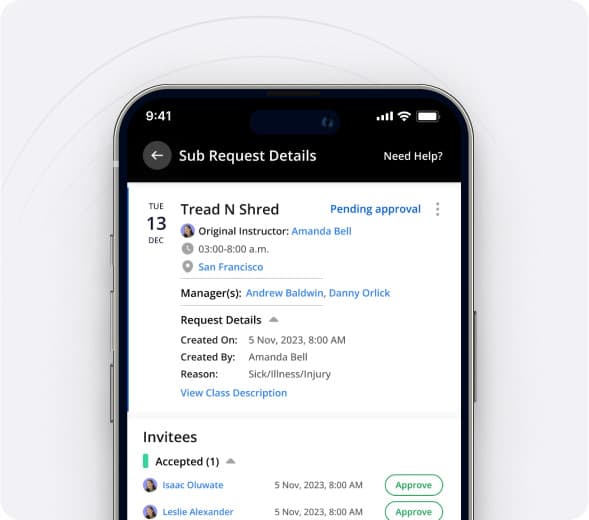
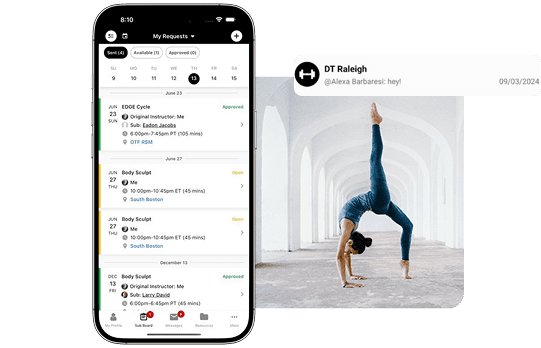
The app’s Sub Board is split into three simple sections:
- Sent: Track your outgoing sub requests and see live status.
- Available: Your team only views the requests they’re qualified for.
- Approved: Instructor confirms, you approve, and they’re added to your calendar.
Smart filters, smarter matching
Smart filters do the heavy lifting—surfacing only the right instructors based on skills, location, and availability.
Make updates, fast
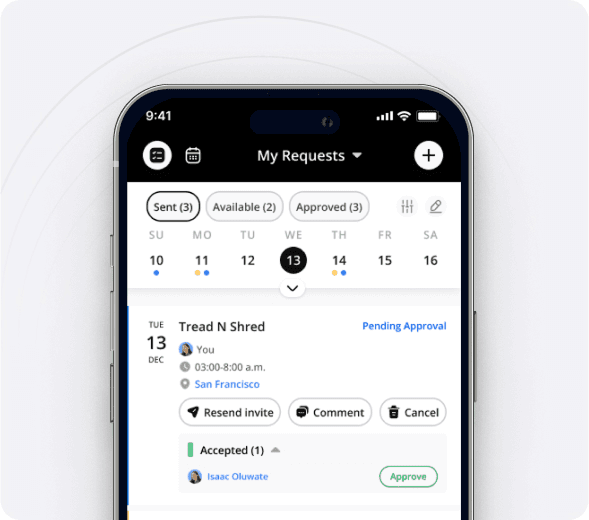
Need to resend, update or cancel a request? Just tap, add comments, or delete. Everything stays in the app, right where it belongs—no switching to email or SMS.
Staff notifications make communication easy
You choose the channel
Push notification, email, or text — notify your team the way that works best. You control the method based on urgency, content, and preference.
Automated, so you don’t have to be
Automated reminders and nudges keep sub requests moving and important message acknowledged — without you lifting a finger.
The right people at the right time
Target messages by person, role, or location. No more blasting everyone. Just the right message to the right team members.
See who’s in the know
With built-in read receipts and notification tracking, you can quickly spot who’s seen what—and who might need a little extra nudge.
Sub analytics & insights
Unlock instructor insights with NetGym!
Our most powerful feature? Analyzing instructor subbing behavior.
Proactive problem-solving
Identify and address any scheduling gaps or potential issues before they become problems. Ensure a seamless experience for your members every day.
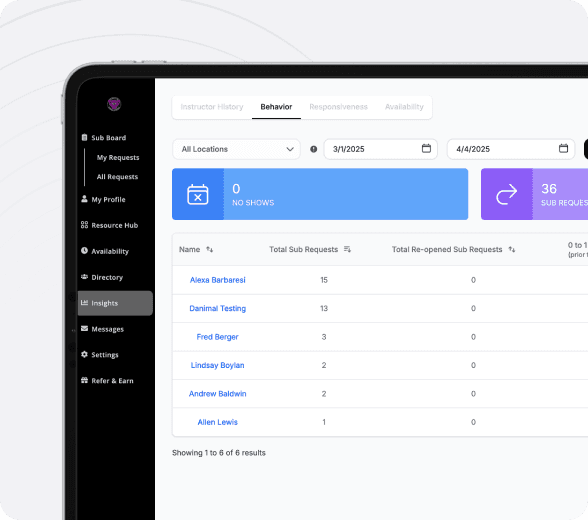
NetGym data
Get the insights on staff sub behavior. See who is subbing and how often, who is sending urgent requests and how often, and who is picking up classes and being a team player.
Data to better your business
Use this data for instructor evaluations, engagement opportunities, and scheduling decisions.
Everything in one place. Finally.
The NetGym App is one simple place to: manage subs, communicate with staff, share resources, and submit documentation. Built for managers, loved by instructors, and designed to make every day at your gym or studio a little (or a lot!) easier.
More ways NetGym helps your team
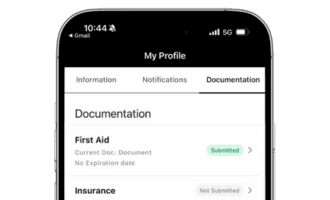
Documentation
Keep track of instructor certifications and qualifications, stay compliant and safe
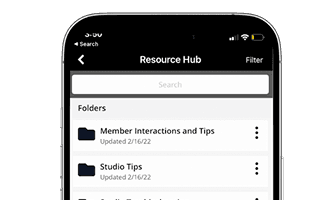
Resources hub
Store and share training videos, policies, SOPs, onboarding guides, and more
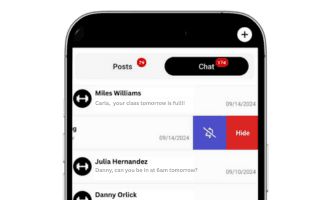
Communications
All your team communication, organized in one powerful platform
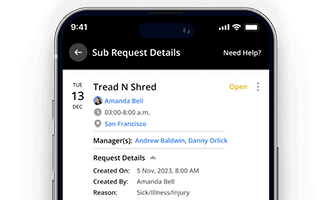
Automated subbing
Automate your subbing process and keep your schedule running smoothly
NetGym reduces your tools and improves staff engagement
Empower your instructors and staff with a transparent and easy-to-use system. Boost morale and encourage collaboration within your team.
Download the 6 step guide to gain back 40+ hours per month
Most studio and Group X managers spend 25% of their time on subbing and communication. This 6 step process has proven to gain back 40+ hours per month through process automation and streamlined communication.
This site is protected by reCAPTCHA and the Google Privacy Policy and Terms of Service apply.